

Preview and publish your app
Preview — see it as visitors will
Click Preview (top right of the editor). Your app opens in a new tab at floneo.app/app/<your-app-slug>. Animations (Motion) play here, unlike in the editor.
Shortcut: Ctrl/⌘ + R toggles preview mode inside the editor.

Publish — put it live
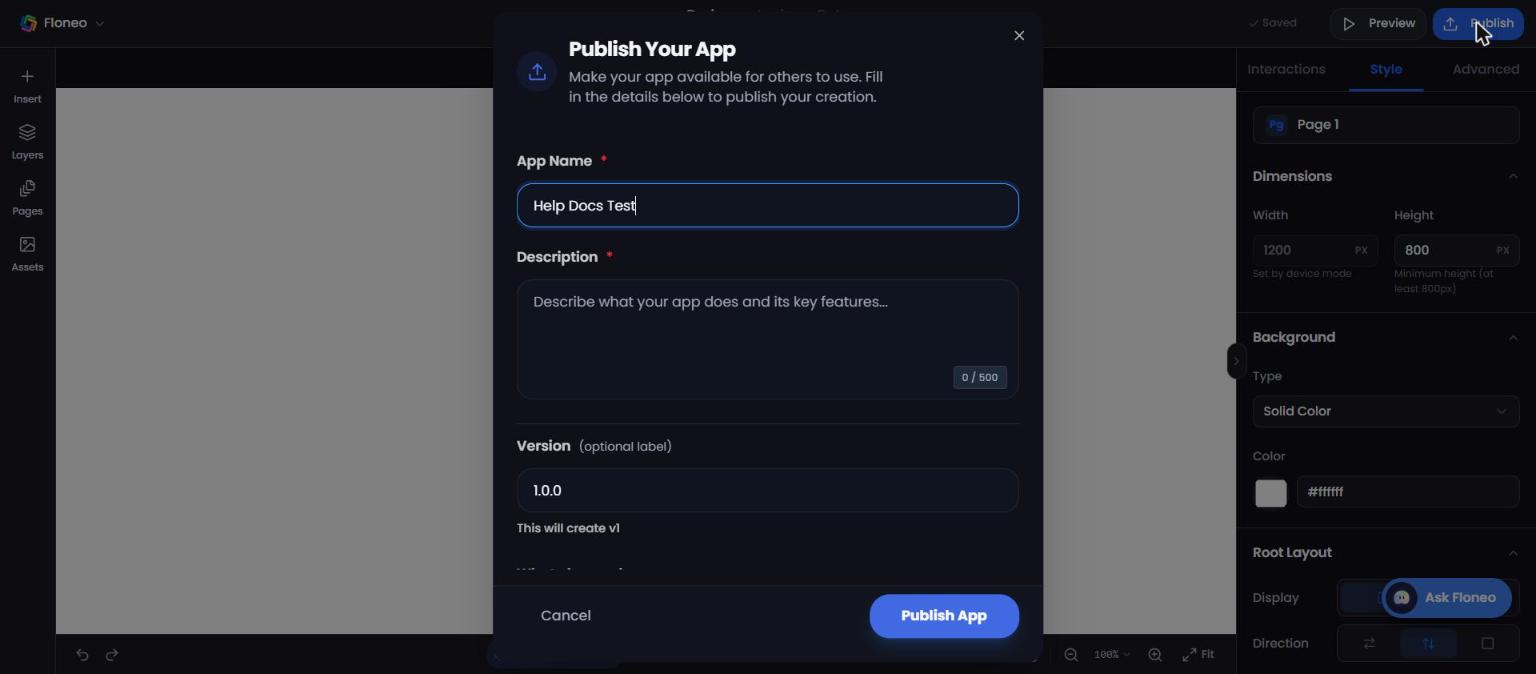
- Click Publish (top right).
- Fill in Publish Your App:
| Field | Required | Notes |
|---|---|---|
| App Name | ✅ | Pre-filled with your app's name |
| Description | ✅ | What your app does — up to 500 characters |
| Version | Optional | Label like 1.0.0. The first publish creates v1 |
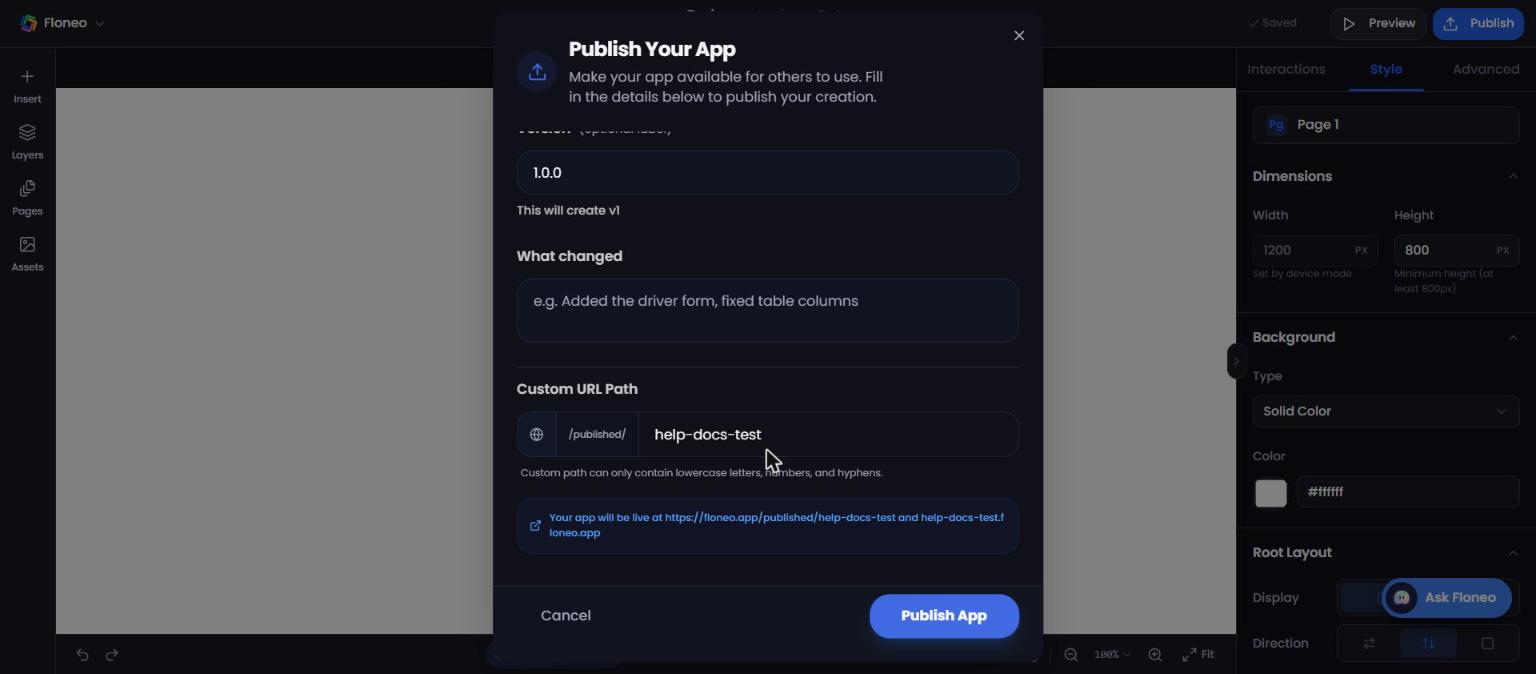
| What changed | Optional | Release notes, e.g. "Added the contact form" |
| Custom URL Path | ✅ | Lowercase letters, numbers and hyphens only |
- Check the preview line: "Your app will be live at
https://floneo.app/published/<path>and<path>.floneo.app". - Click Publish App.
Your app moves from Drafts to Published in My Projects.
Update a live app
Edits are saved to your draft — the live site doesn't change on its own. When you're ready:
- Click Publish in the editor again, or
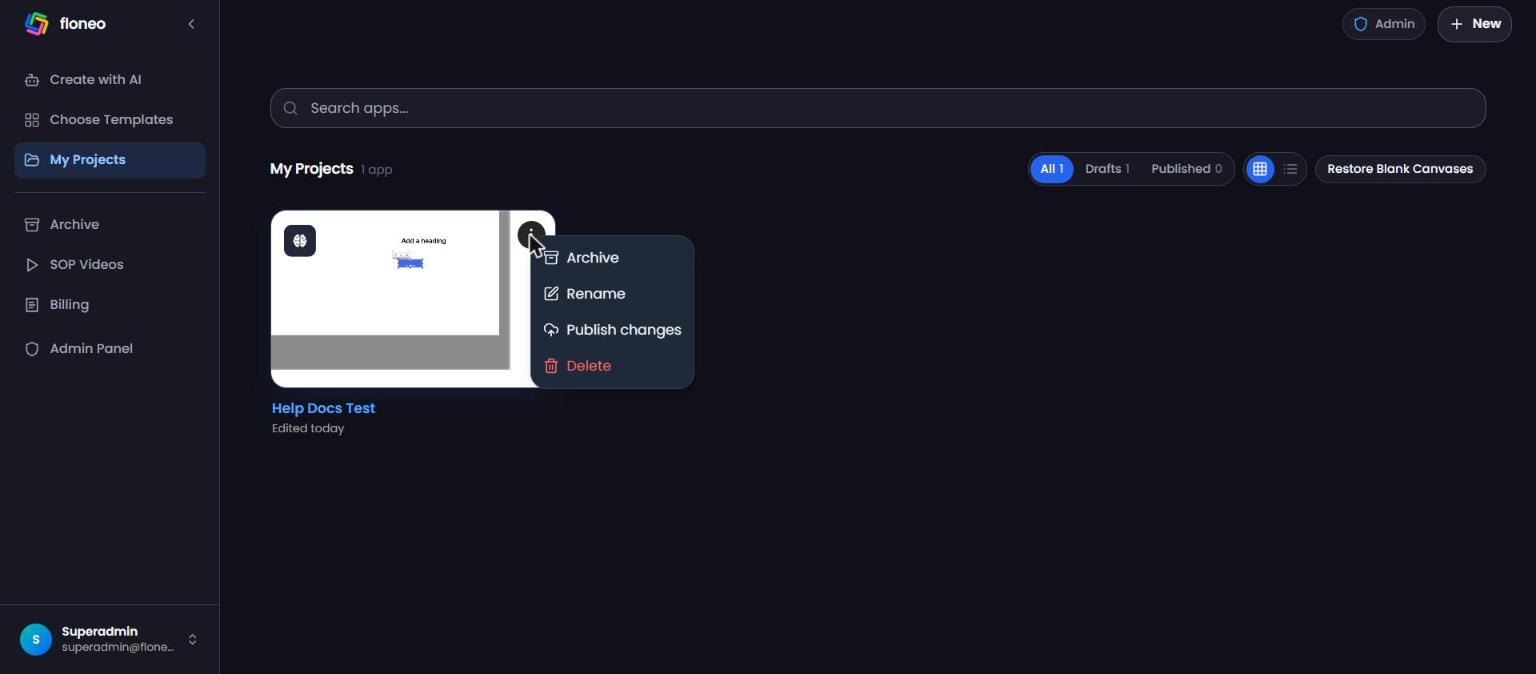
- In My Projects, open the card's ⋮ menu → Publish changes.
FAQ
What address will my site have?
Two addresses: floneo.app/published/<your-path> and <your-path>.floneo.app.
Can I use my own domain (e.g. www.mybakery.com)? There's no custom-domain setting in the editor today. Contact support if you need one — we'll tell you what's possible.
I made changes but the live app hasn't changed. Click Publish again (or Publish changes from My Projects).
My URL path is rejected. Use only lowercase letters, numbers and hyphens — no spaces, capitals or symbols. If it's taken, try another.
Can I unpublish? There's no "Unpublish" button today. If you need a live site taken down, contact support with the app name and URL.
Do animations show in the editor? No — Motion effects play in Preview and on the published site only.
Didn't find your answer? Contact support