

Plans, credits and billing
FloNeo runs on NEO build credits. AI work — building a site, or asking NEO to change one — uses credits. Ordinary visual editing (text, colour, spacing, size, position) does not.
Prices below are for India, verified on 9 Nov 2026. Your billing country sets your currency. Always check Plans and credits in the app for current prices.
Plans
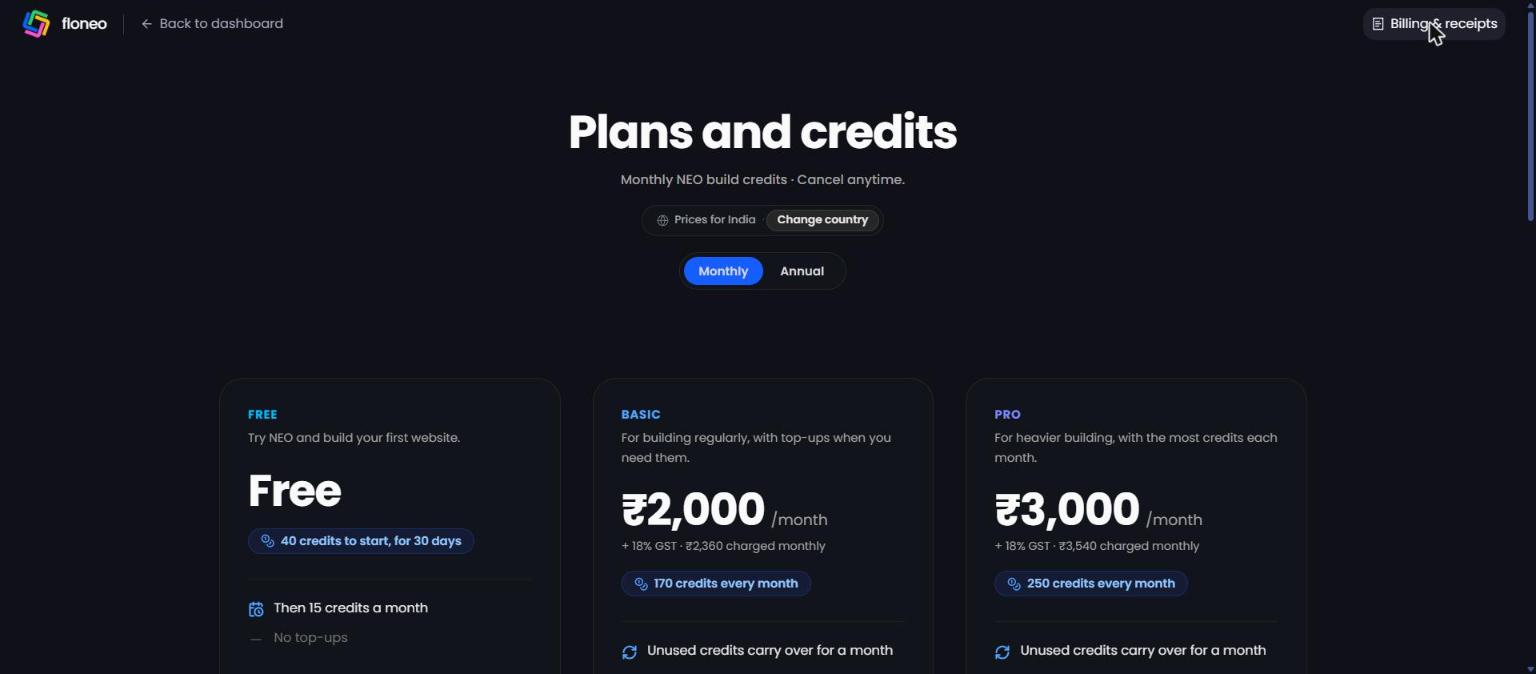
| Free | Basic | Pro | SME | |
|---|---|---|---|---|
| For | Trying NEO and building your first website | Building regularly | Heavier building | Growing teams needing more credits, seats or invoicing |
| Monthly price | Free | ₹2,000/month + 18% GST (₹2,360) | ₹3,000/month + 18% GST (₹3,540) | Custom — Contact sales |
| Annual price | — | ₹20,000/year + GST (₹23,600) — 2 months free | ₹30,000/year + GST (₹35,400) — 2 months free | Custom |
| Credits | 40 to start (for 30 days), then 15 a month | 170 every month | 250 every month | Custom |
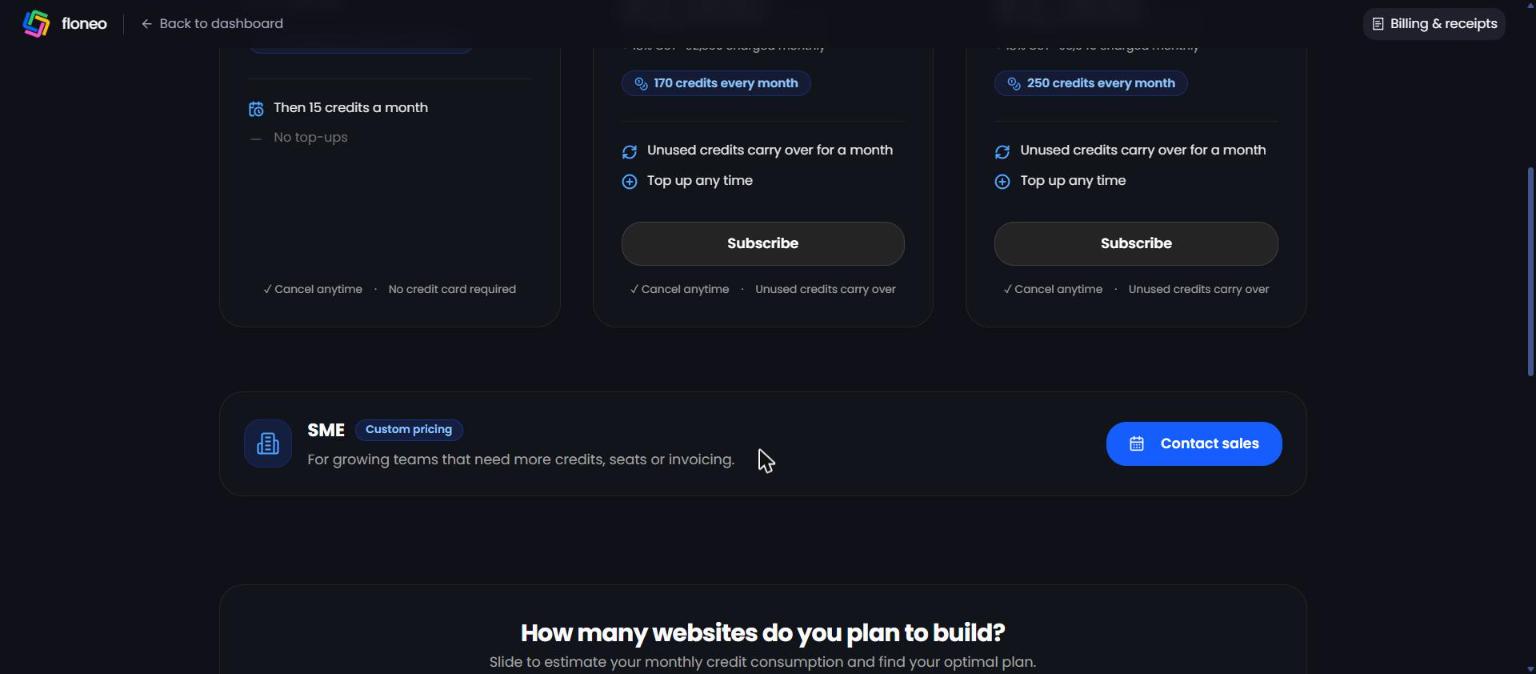
| Unused credits | — | Carry over for a month | Carry over for a month | — |
| Top-ups | ❌ No | ✅ Any time | ✅ Any time | — |
| Card needed | No | Yes | Yes | — |
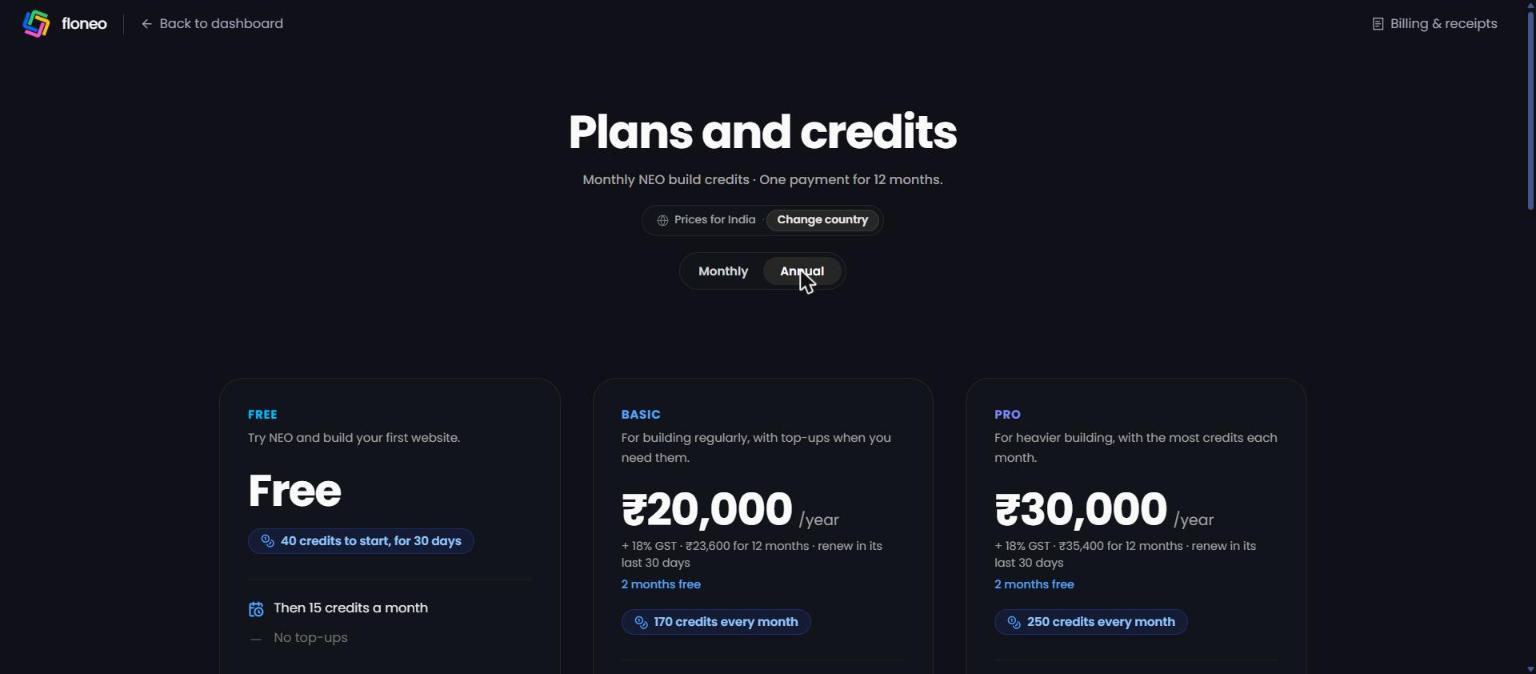
Annual plans are one payment for 12 months. You can renew in the plan's last 30 days.
Not sure which plan?
The "How many websites do you plan to build?" slider on the Plans page estimates your monthly use and suggests a plan (e.g. 4 websites/month ≈ 70 credits → Basic).
How credits work
| Action | Typical cost |
|---|---|
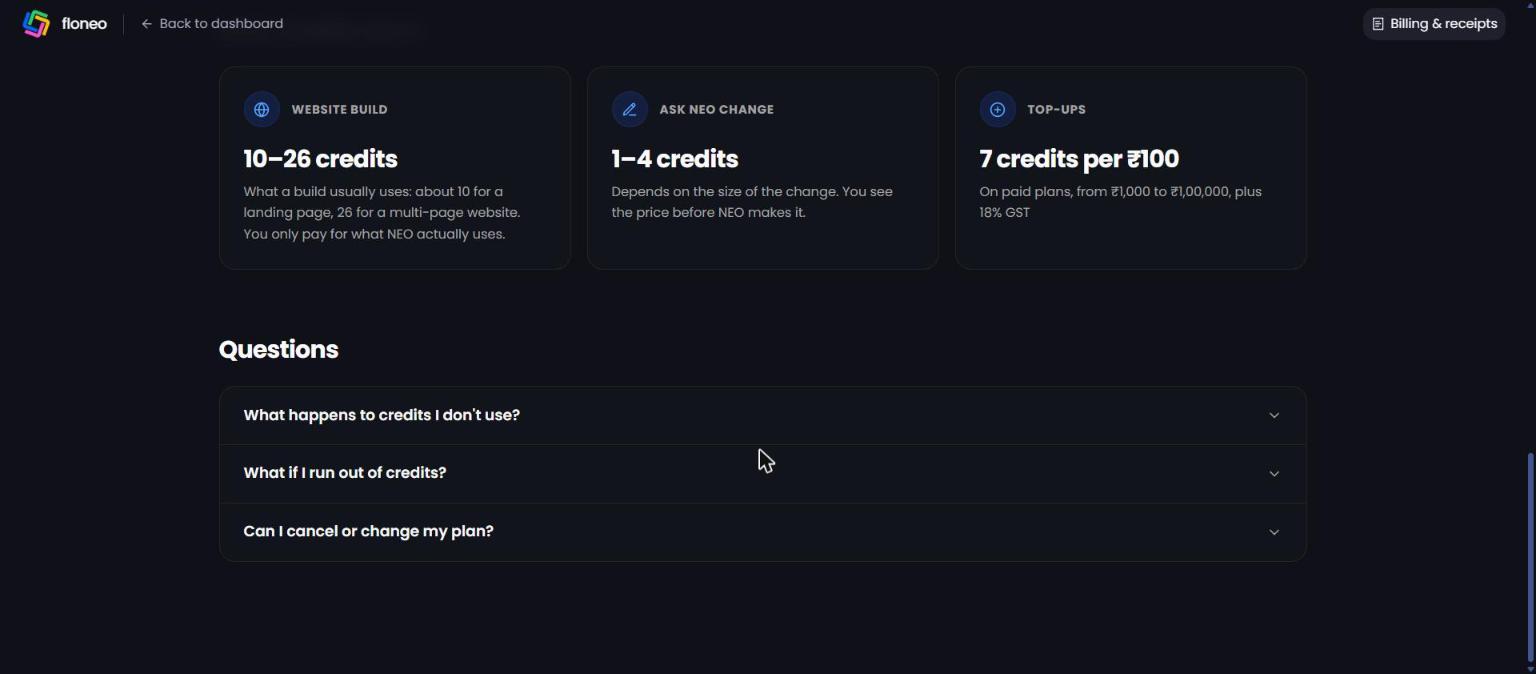
| Website build | 10–26 credits — about 10 for a landing page, 26 for a multi-page website. You only pay for what NEO actually uses. |
| Ask NEO change | 1–4 credits, depending on the size of the change. You see the price before NEO makes it. |
| Visual edits you make yourself | Free |
| Top-ups (paid plans) | 7 credits per ₹100 — from ₹1,000 to ₹1,00,000, plus 18% GST |
What happens to credits I don't use?
Unused monthly credits carry over for one month on Basic and Pro. Credits from top-ups stay for 12 months.
What if I run out?
NEO shows what a build usually uses before it starts, and won't start one your balance doesn't cover. A build that ends up using more than shown still finishes, and you're never charged past your balance. On Basic and Pro you can top up any time; on Free, more credits arrive each month.
Where do I see my balance?
Billing (sidebar) → Credit balance, or Profile → Plan & Credits → Available Balance.
Subscribe, upgrade, cancel
- Subscribe: Plans and credits → Subscribe on Basic or Pro. Choose Monthly or Annual first.
- Get more credits: Billing → Get more credits (paid plans).
- Cancel: from your plan's card. The plan keeps working until its billing period ends, then your workspace moves to Free.
- Switch Basic ↔ Pro: moving straight between paid plans isn't available yet. Cancel first, and subscribe again once the current plan ends.
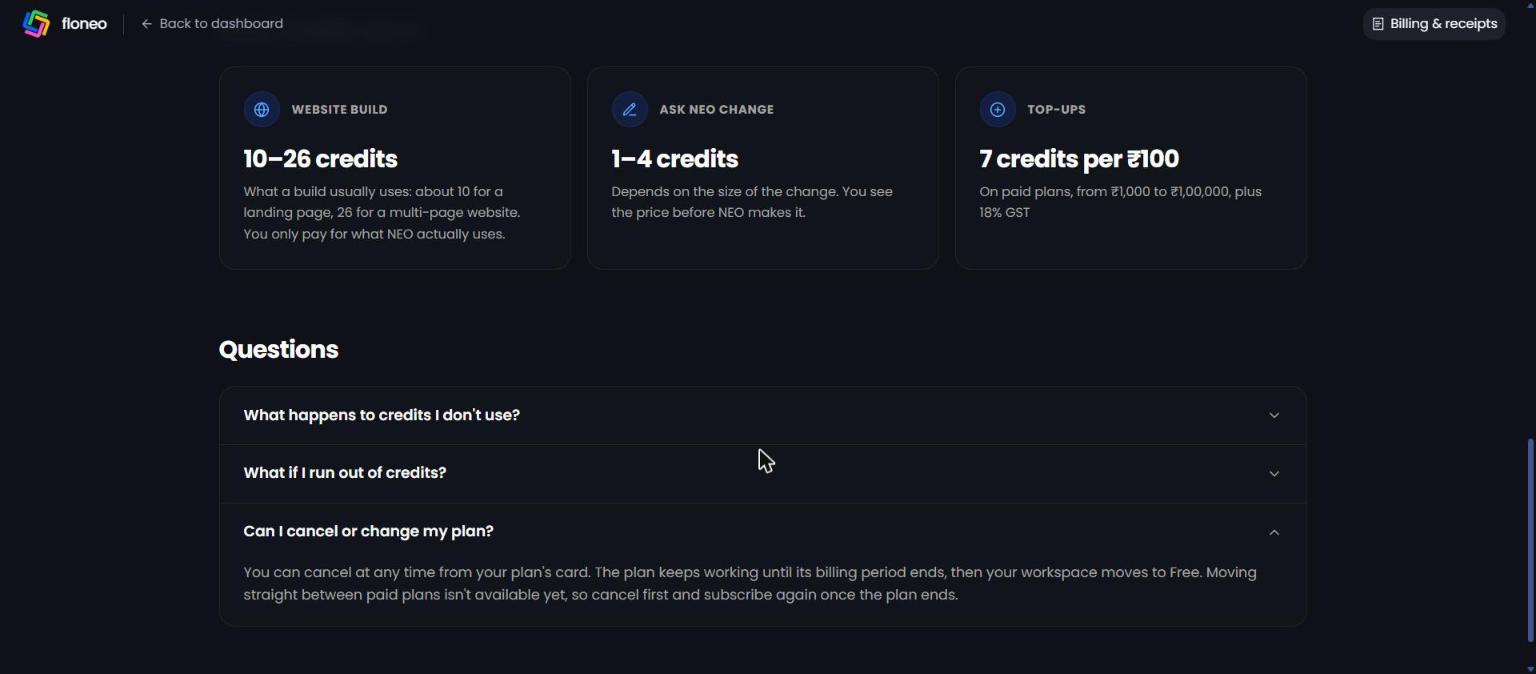
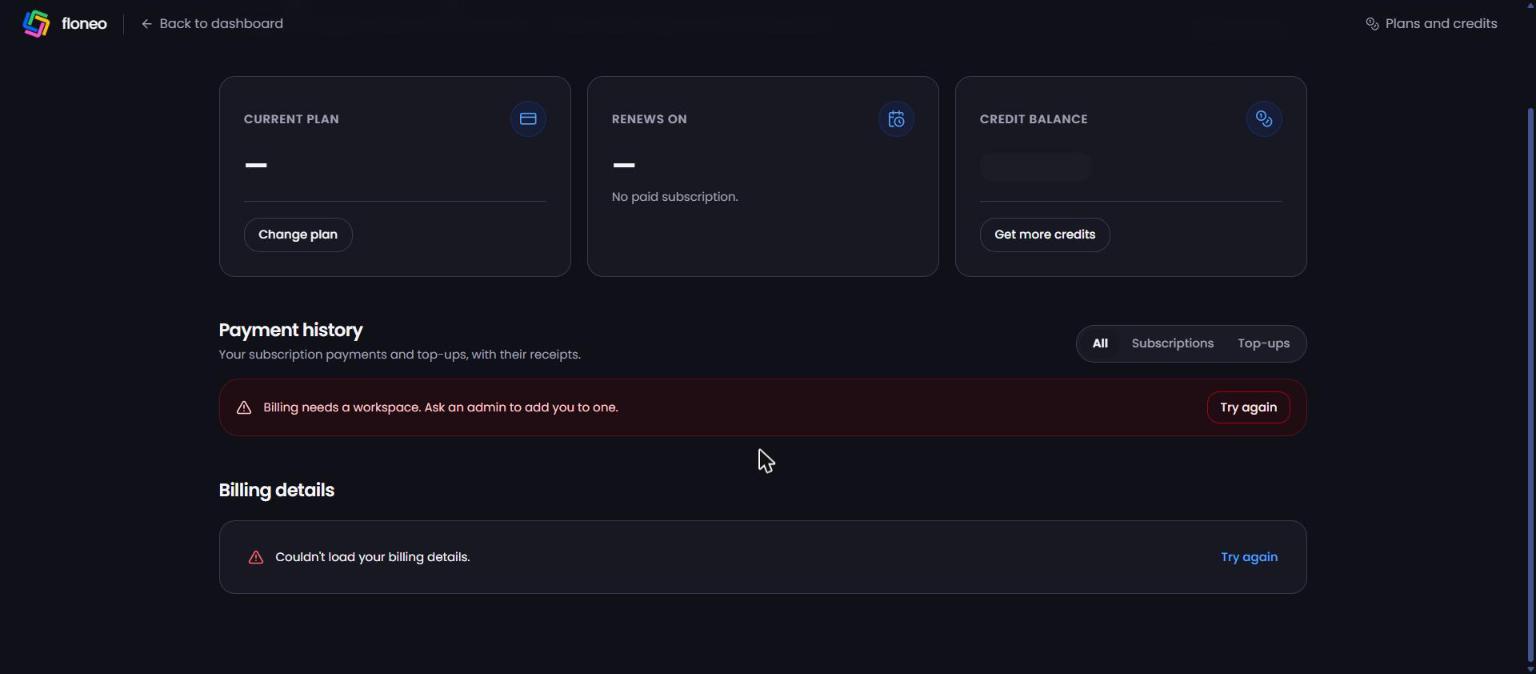
Billing and receipts page
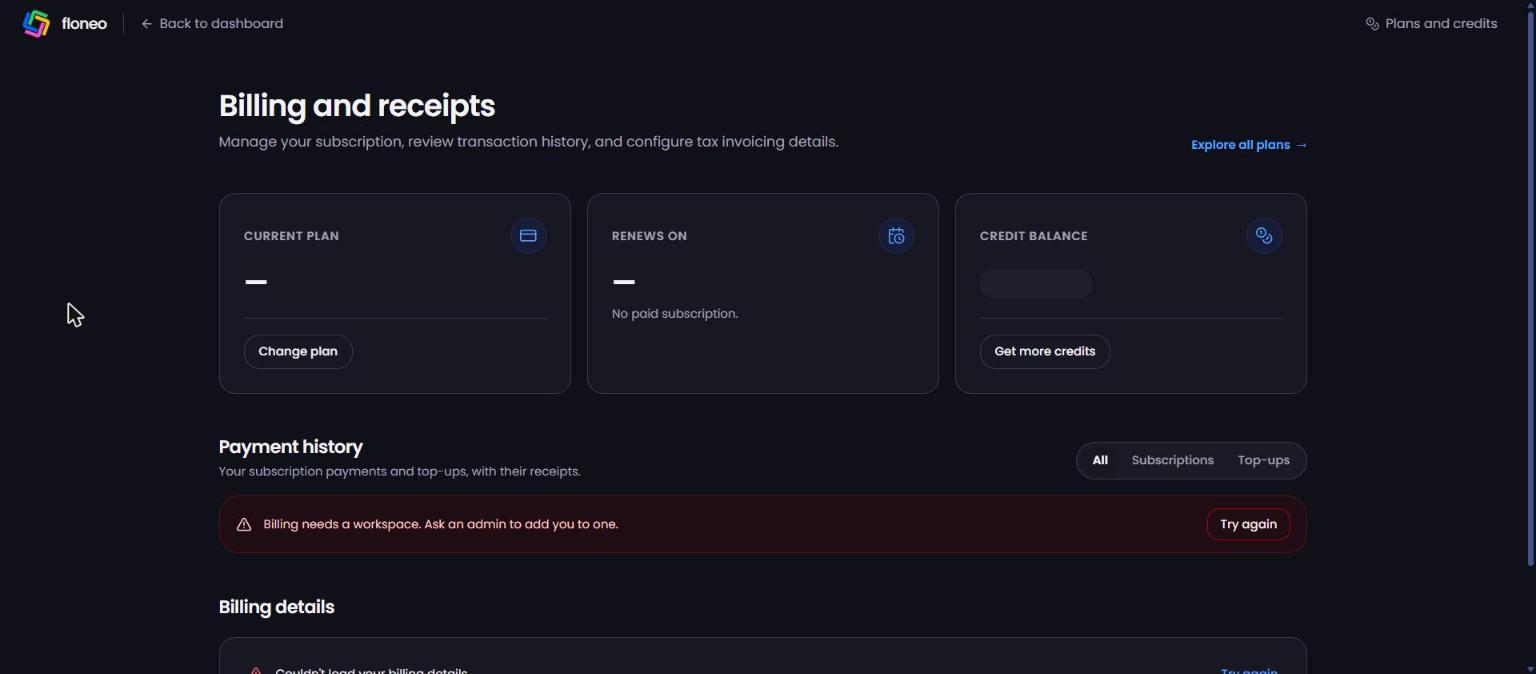
- Current plan + Change plan
- Renews on (or "No paid subscription")
- Credit balance + Get more credits
- Payment history — All / Subscriptions / Top-ups, with receipts
- Billing details — your country, state and GST info
- Explore all plans →
GST and billing details
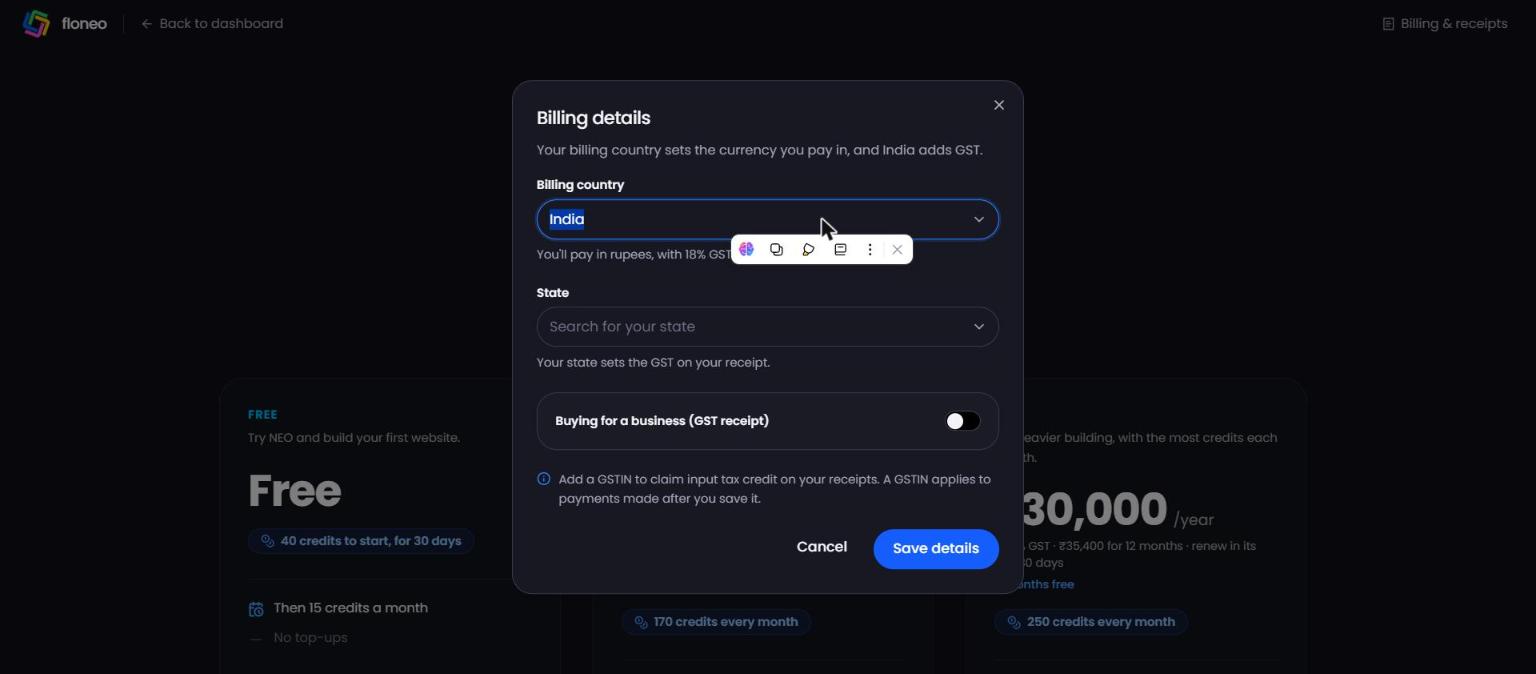
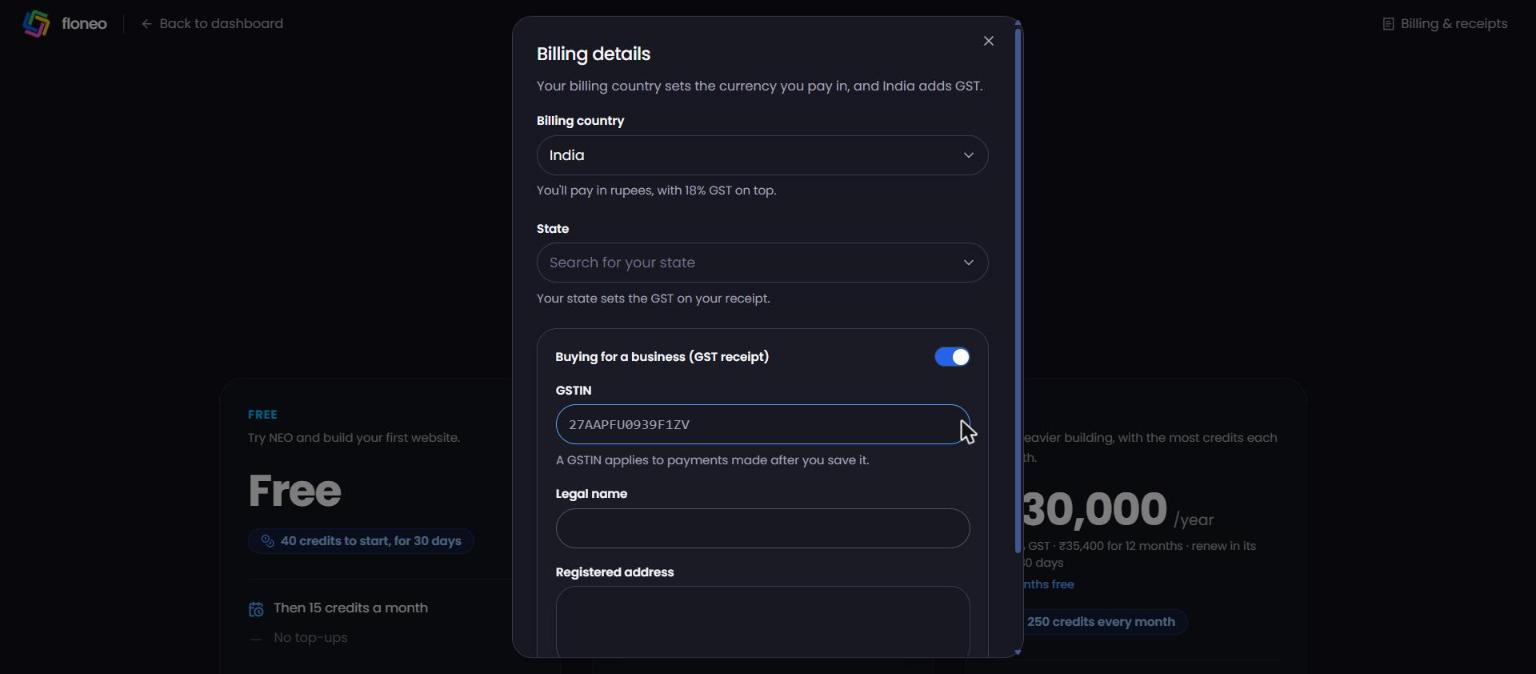
Open Change country on the Plans page (or Billing details):
- Billing country — sets your currency. India pays in rupees with 18% GST on top.
- State — sets the GST on your receipt.
- Buying for a business (GST receipt) — turn on to add your GSTIN, Legal name and Registered address and claim input tax credit.
- Save details.
⚠️ A GSTIN applies only to payments made after you save it. Add it before you pay.
Payments
Online payments are processed through Razorpay (or another approved provider). Your card details are handled by the payment provider, not stored by FloNeo.
Troubleshooting
| Message / problem | What it means | What to do |
|---|---|---|
| "Billing needs a workspace. Ask an admin to add you to one." | Your account isn't linked to a workspace yet | Ask your workspace admin to add you, or email support@floneo.co |
| "Couldn't load your billing details." → Try again | Billing info didn't load | Click Try again, refresh, then contact support if it continues |
| Paid but plan/credits didn't update | Payment may still be processing | Wait 5 minutes and refresh Billing. Still wrong? Raise a ticket with your payment ID/receipt |
| Charged twice | — | Raise a ticket with both payment IDs — we'll sort it out |
| Need a GST invoice for a past payment | GSTIN applies only after it's saved | Raise a ticket with the payment ID and GST details |
| Want a refund | — | Contact support. See our Terms at floneo.co/terms |
Didn't find your answer? Contact support